

Unlock Stunning Displays: The Ultimate Guide to Choosing Your Perfect USB-C to HDMI Solution!
In today's fast-paced technological landscape, the ability to connect devices seamlessly is more important than ever. USB-C to HDMI adapters and cables have emerged as essential tools for users wanting to connect laptops, tablets, and smartphones to larger displays. Whether you're a student presenting in class or a gamer looking to showcase your skills on a bigger screen, understanding how to choose the right USB-C to HDMI solution can significantly enhance your viewing experience. This guide will delve into the intricacies of these connections, helping you make an informed decision tailored to your specific needs.
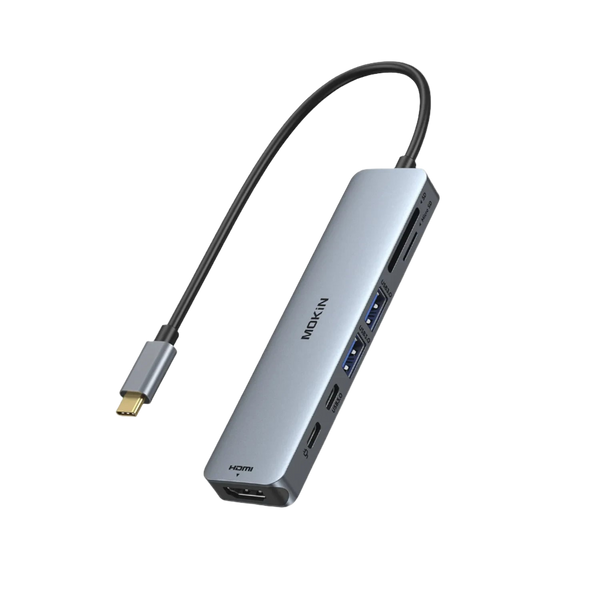
Understanding USB-C and HDMI Technologies
USB-C, a modern connection standard, has gained popularity due to its versatility and speed. Unlike previous USB versions, USB-C supports higher data transfer rates and can carry video and power through a single cable. On the other hand, HDMI (High-Definition Multimedia Interface) is widely used for transmitting audio and video from a source to a display. The beauty of using USB-C and HDMI together lies in their compatibility; USB-C can output signals to HDMI, making it an ideal choice for connecting various devices to TVs, monitors, and projectors. The advantages of USB-C go beyond just speed; its reversible design and ability to support multiple functions make it a staple in modern tech setups.
Types of USB-C to HDMI Solutions
When it comes to USB-C to HDMI solutions, users have a variety of options to choose from, primarily adapters and cables. USB-C to HDMI cables are straightforward, allowing a direct connection between devices without the need for additional components. Alternatively, USB-C to HDMI adapters offer flexibility, enabling users to connect their devices to HDMI displays using existing HDMI cables. It's crucial to understand the distinction between active and passive adapters. Active adapters are capable of converting signals and are often required for certain setups, such as connecting to 4K displays. Passive adapters, on the other hand, are typically used for simpler connections. Knowing your specific needs will help guide your choice between these options.
Key Features to Consider
When selecting a USB-C to HDMI solution, there are several key features to consider. Resolution support is paramount; many users today seek 4K output for a stunning visual experience. Ensure that the adapter or cable you choose supports the resolution you desire. Additionally, refresh rates play a critical role, especially for gamers who require smooth motion. Build quality should not be overlooked either; high-quality materials can prevent wear and tear over time. Compatibility is another vital factor; check that the solution works seamlessly with your devices and operating systems. Taking the time to evaluate these features will ensure you find a solution that meets your needs.
Common Use Cases for USB-C to HDMI Solutions
USB-C to HDMI solutions serve a multitude of purposes across different user scenarios. For gamers, connecting to a larger screen can create an immersive experience, enhancing gameplay with vibrant visuals. Professionals often rely on these connections for presentations, allowing them to showcase their work in a more impactful manner. Media consumption is another area where USB-C to HDMI shines; stream movies or shows from a laptop to a TV for a cinematic experience. I once watched a friend's gaming session on a big screen using a USB-C to HDMI adapter, and the difference in clarity and detail was astounding. Understanding your primary use case will help you select the right solution to maximize your experience.
Choosing Your Ideal USB-C to HDMI Solution
In conclusion, USB-C to HDMI solutions are indispensable for anyone looking to enhance their display experience. By understanding the technologies behind USB-C and HDMI, the types of available solutions, and the key features to consider, you can make an informed decision that suits your individual needs. Whether you plan on gaming, presenting, or simply enjoying media on a larger screen, selecting the right USB-C to HDMI solution will undoubtedly elevate your visual experience. Take the time to assess your requirements and enjoy the stunning displays that await you!